- Legrand
- About Us
- White Papers
- Products
- Menu Products
-
- Case Studies
- News
- Training
- Export
- Policies
- Vacancies
Providers of Assisted Living Monitoring and Response Centres, incorporating telecare, telehealth and m-Care
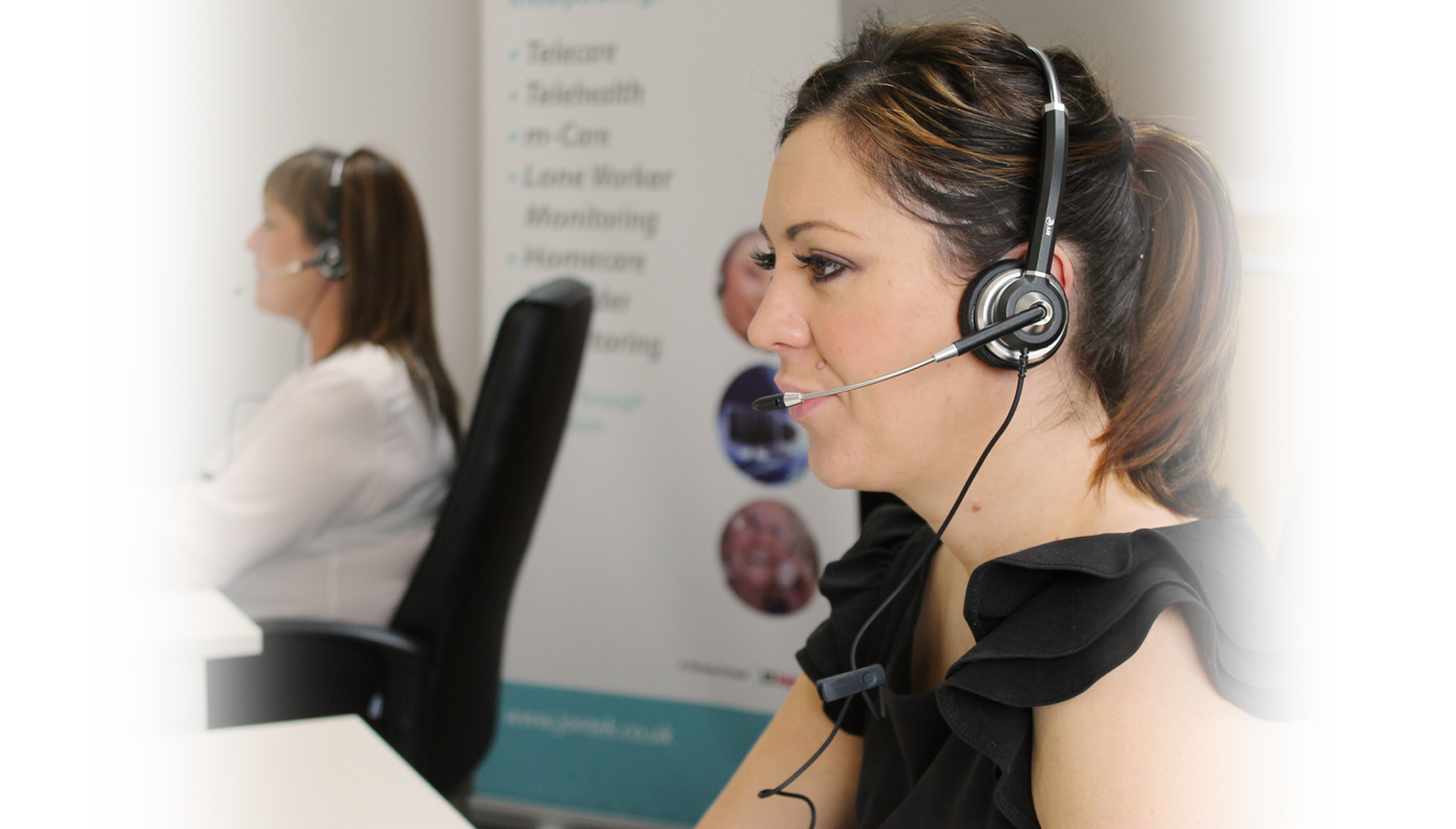
Jontek provide Assisted Living Alarm Monitoring and Response Centre solutions, incorporating telecare, telehealth and m-Care to over 60 organisations across the UK. We are experts in our field, focusing purely on developing, installing and supporting the most advanced monitoring systems that are available 24 hours a day, 365 days a year.
Our drive to achieve technical excellence means that we invest over 25% of our annual sales turnover back into the research and development of our systems. We are continuously developing our systems to ensure we meet the evolving needs of our clients, to safeguard their investment for the future.
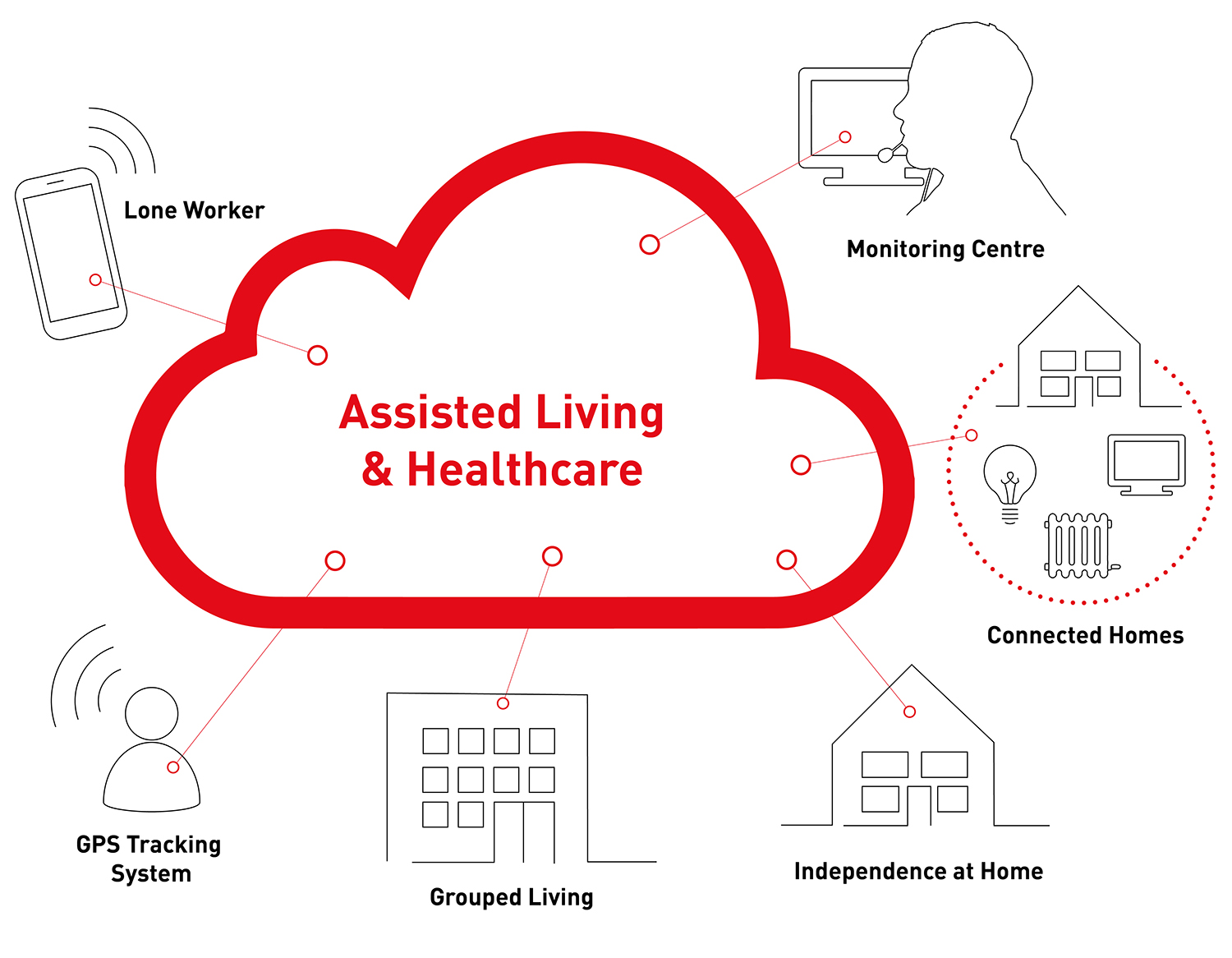
Effectively manage Telecare, Telehealth, Lone Workers and m-Care services
 Read More
Deliver the best possible service with the latest technology
Read More
Manage numerous processes, people and products
Read More
Monitor the safety of your field workers
Read More
Increase independence and confidence for all your service users
Read More
Share data and provide intelligent escalation pathways
Read More
Log in to your system wherever and whenever
Read More
Mobile Application intended for professionals working remotely in the field
Read More
Answerlink
Answerlink is a comprehensive Assisted Living Platform for the management of Telecare, Telehealth, Lone Worker and m-Care services.
Answerlink uses the very latest technology to help deliver the best possible service and is tried, tested and proven to be fully compatible with ALL of the telecare alarm equipment in use throughout the UK.
Answerlink Key Features include:
Flexible Reporting
Answerlink provides a user friendly, powerful, yet flexible reporting solution that allows managers to report on any aspect of their service, without requiring any IT expertise.
The system allows you to search all of your client record data fields and apply a series of filters in order for you to build up intelligent queries. When your reports have been configured, they can be scheduled for automatic generation and delivery. This powerful feature allows you to generate and save bespoke reports on any aspect of your client database, which can then be stored for future use.
A suite of standard pre-defined reports are automatically provided, which include those required for the Telecare Services Association (TSA) Code Of Practice KPIs, helping managers to measure your centre’s daily performance or identify areas that may require further attention. All reports can be exported into a variety of formats including Excel, MSWord, XML, PDF, CSV, Web archive and HTML.
Mini Document Management System
All written communication to and from your client, service users and their contacts can be attached to the Service User Record, providing a simple but effective mini document management system. This can be used for both electronic documents and paper documents, which can be scanned in and attached to the Service User Record.
This feature supports the Government’s requirement for an ESCR (Electronic Social Care Record), where all required information is available from a single system.
Email Integration
In order to work in the most effective and efficient way, emails can be sent directly to your client and their contacts from the Service User Record, and then recorded directly into the service user’s Correspondence Tab. This reduces the risk of error, logs all communication effectively and speeds up the correspondence process.
Flexible and Secure Access
The Answerlink system can be used by a wide variety of personnel, with carefully managed and secure User Profiles, for example Senior Management, Health and Social Services. This secure access offers improved partnership working opportunities.
Call Conferencingx
Call conferencing involves the ability to set up a 3-way conversation which is extremely useful for supporting services such as Language Line or NHS 24.
Mail Merge facility with MS Word
Answerlink has the functionality for e-mail shots to be sent out to pre-selected groups of service users via email or hard copy, saving many hours of administration time. This activity is automatically recorded in the service user’s Correspondence Tab, providing a full history of communication with the service user.
Integrated Incident Logging Module
The Incident Logging Module utilises pre-defined electronic forms for the recording and reporting of a wide variety of incidents, for example bogus callers, Environmental Health issues or Out of Hours repairs. These forms can then be emailed directly to the relevant department.
Archived Service User, Viewing and Reporting Facility
If a service user leaves the service, their record is automatically archived into the Archive Module. The full service user record is then available for viewing in the case of any future queries and reporting purposes. For example, it is possible to find out how many service users have left the service in the past 12 months and why.
Voice Recorder Integration
Voice Recorder Integration allows authorised personnel to access voice recordings for all calls directly from the Calls History. This makes it very easy for managers to access voice recordings when required, for example, during incident investigations, staff training or performance assessments.
Service User Mapping for Responders, with Directions
Whilst viewing a service user, Answerlink allows a google map to be displayed showing the location of the service user. It is then possible to obtain directions for the responder using the standard mapping features.
Door Entry Video Support
Answerlink has the ability to view live CCTV images from door entry systems equipped with an IP camera interface. This allows easy verification of a visitor’s identity before allowing access and can act as a deterrent to bogus callers.
Text Messaging Manager
The system provides the facility for sending and receiving SMS text messages to/from any service user's (or their contact’s) mobile phone. These messages are then automatically added to the service user’s Correspondence Tab. Text messaging is the preferred method of communication for some service users and may be the only method of communication suitable in some cases, for example if the service user has hearing difficulties.

Telecare Monitoring and Response Centres
Answerlink is a comprehensive Assisted Living Platform for Telecare Monitoring, and the management of Telehealth, Lone Workers and m-Care services.
Answerlink uses the very latest technology to help deliver the best possible service and is tried, tested and proven to be fully compatible with ALL of the telecare alarm equipment in use throughout the UK.
What is Telecare?
Telecare devices are designed to be integrated into an Assisted Living scenario, and have the ability to connect wirelessly to an At-Home alarm unit to allow the user to make an emergency call for help, or make the call for them when recognising their need for assistance.
More than 90% of people say they want to live independently in their own homes for as long as they possibly can. For today’s telecare users, they can be assured of total peace of mind, knowing that help is always available; 24 hours a day, 7 days a week.

Telecare Management Suite
The management of a telecare system involves numerous processes, people and products.
In order to create a telecare system that provides an efficient, professional service, your monitoring centre needs to have visibility of your whole end-to-end process.
The Telecare Management Suite can help to achieve this with features including:
The Telecare Referral
As new service users are referred to your organisation, all the necessary details are entered directly into the Answerlink system. The service user details create the secure, core information portal from which all the other processes and actions will take place. As the telecare management tools are fully integrated, the central information system will continually be updated in real time.
Integrated Assessment Tool
This feature captures all the assessment information needed. The data is input directly against the service user and includes the ability to assign dates and times of appointments and notes against each appointment. This can be linked to a calendar where all the other relevant activity can be viewed, for example previous appointments or review dates.
Integrated Installation Management
The ‘Installation Tab’ on each Service User Record is where detail of stock installation and de-installation can easily be input and accessed. It is simple to view other relevant information at this time including stock or staff availability.
Management and Maintenance of Stock
Answerlink has a fully integrated Stock Control System. The system provides powerful and flexible stock management capabilities for both local and remote operators. The stock control system is extremely flexible and allows the management of a variety of equipment including alarm units, sensors and wheel chairs. Each individual stock record includes warranty period, full stock item history and stock notes fields for battery replacement, servicing dates etc.
The system will also cater for stock with and without serial numbers. The stock system allows for batch entry and supports barcode readers. The system provides the ability to report on the type of equipment, availability and age of stock. All changes/updates made to stock are logged for auditing purposes. All information associated with stock can be queried and reported upon. For example an operator can create a report that shows the battery replacement date for stock items whose batteries need replacing within the next month. This report can then be scheduled to be run and automatically delivered to the customer’s maintenance team each month.
Staff Scheduling Module
The Staff Scheduling Module allows the monitoring centre to manage their staff in the most flexible and efficient manner, optimising resources and saving money. Using a variety of criteria, staff rosters can be created quickly and efficiently for all your support staff. These may include staff availability, shift patterns, qualifications or location for Centre Operators, Telecare Installers or Assessment officers. All diaries can be linked to service user records, to enable a fully transparent and integrated system.
Comprehensive Reporting Tools
Answerlink allows every aspect of the telecare process to be reported on, for example how many installations have taken place in the last week or the average time between referral and assessment. Bespoke reports can be set for automatic generation and delivery, which can then be saved for future reporting.

Lone Worker Monitoring
Jontek’s Lone Worker Monitoring is a software package used to monitor the activities and safety of employees and contractors working in the field.
Lone worker can be used to monitor your in-house staff visiting a service user to carry out an assessment or an installation of telecare equipment. It may also be used to monitor staff from another department within your organisation who you provide the Lone Worker Monitoring Service. Regardless of who is being monitored, Lone Worker is an effective way of ensuring all work is safely delivered as planned.
The main purpose of Lone Worker Monitoring is to provide a safety mechanism for those working out in the community. It provides the reassurance that if any member of your staff encounters a problem during the course of their duties, help is at hand.
How does it work?
The Answerlink monitoring and response centre maintains Lone Worker records which detail all essential staff information including name, description, contact numbers etc.
• When the Lone Worker arrives at their planned destination, they log into the centre using their work mobile phone, by calling a predefined log-in number
• The system will auto-answer and automatically identify the Lone Worker from their mobile number
• An automated voice menu then asks the Lone Worker to key in via the telephone keypad the duration of the visit
• It then asks the Lone Worker to leave a voice message with details of the purpose of the visit, the address being visited and any other relevant information
• The visit is automatically recorded against the Lone Workers activity schedule
• At the end of the visit, the Lone Worker calls the dedicated log out number which logs the visit as complete
• If the Lone Worker does not log out as planned (within agreed tolerances), an alert will be automatically raised at the Answerlink monitoring centre
• The staff at the monitoring centre can play back the message left by the Lone Worker and decide upon the most appropriate action to follow up and verify their safety
The system has a fail-safe mechanism so that if a worker forgets to log in or log out of a visit, the operator is prompted and can then verify their status.
Additional Features
Lone Worker Panic Line
If a potentially serious situation arises, the Lone Worker can press the panic button on their mobile phone to call the dedicated Lone Worker Panic Line at the centre, this is then automatically highlighted on the alarms calls waiting screen.
Once the call has been accepted by the centre operator, the Lone Worker record is displayed with details of the Lone Worker, including their current visit. The operator is then able to talk to the Lone Worker to ascertain the situation and respond accordingly.
There is also the option of using GPS locating technology which allows the exact location of the Lone Worker to be found via a 3rd party mapping application e.g. Google Maps.

The Automated Reassurance and Reminder Service aims to increase levels of independence and confidence to all service users.
The reassurance service checks if a service user is feeling well and allows for support to be called if required. The reminder service can be used to support those service users who need to take regular medication.
At set times during the day an automated message will be sent to the user’s mobile telephone or landline which will then ask for a response. This message can be an automated voice message, a personalised voice message or an SMS text message. A positive response from the service user would be to press a key on their telephone key pad and this would then indicate the service user is OK. If the response from the automated reassurance/reminder call is negative, a series of calls/text attempts can be made to the service user.
The Automated Reassurance and Reminder service provides many benefits including:
Bespoke time slots between follow up calls for each automated message
An alert for help on the Calls Waiting screen if the prescribed maximum number of call attempts is reached
Automatic alerts which may be sent by email or text message to a single contact, or a series of contacts
Alert which can can be presented on the Calls Waiting screen of the Monitoring centre, which is dealt with by an operator following an agreed response protocol - this is particularly important for those more vulnerable clients who need to know that a call for help will be managed personally and professionally from a central call centre

Answerlink facilitates the provision of inter-operable Assisted Living Solutions that can share data and provide intelligent escalation pathways.
Answerlink integrates with a wide variety of 3rd party solutions and allows the centre to manage alerts, escalating them to your partner organisation’s medical professionals.
What is Telehealth?
It is the use of telecommunications technology to electronically share data which is related to a patients healthcare. This data is most often shared between a patient and their healthcare professionals, which allows the remote monitoring of long term health conditions. The ability to share this data, and provide long-distance care, creates an intelligent escalation pathway.

Wherever and whenever you need to log on to your Answerlink system, you can.
The new remote calls handling feature from Jontek allows staff to handle calls anytime anywhere, within an organisation, or even from home.
How it works
By simply clicking on the Answerlink icon on your desk top, a remote connection to your Answerlink system can be opened, which allows staff to log in via your secure corporate network.
After logging in as normal, you enter your landline number, or any other number which you will be call handling from. You are able to enter a variety of telephone numbers including a desk phone and extension, a home telephone number or a mobile telephone number.
Answerlink will display a 4 digit security code on the screen. It will then call your specified telephone number and ask that the code is entered into the telephone keypad to verify the correct telephone number has been connected.
Once this has been done, you are presented with the Answerlink Calls Handling Screen and you are then able to take calls and manage data as normal. All calls are voice recorded as normal and a full audit trail is provided, including details of all calls handled and any follow up actions required.
As the application runs in a browser, it is not necessary to be loaded onto your desktop or laptop.
Who is it for?
• Members of staff who handle calls, who need to work remotely
• Additional call handlers who need temporary access, perhaps from a different location of work due to an unplanned peak in demand
• Additional call handlers who need to access Answerlink from home, perhaps to cover a shift if another staff member goes sick in the middle of the night
• Managerial staff who work from multiple offices, yet need to be able to access the system for data interrogation or reporting purposes
• Other key stakeholders who may need to access Answerlink data to allow for joined up working and sharing of data, even when based at various locations
This solution can also be used as a part of a Disaster Recovery solution.

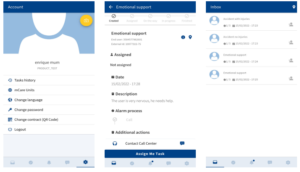
mCare Pro is a mobile application available on iOS and Android, intended for professionals working remotely in the field of care and support services.
With mCare Pro, operators at the alarm monitoring centre can instantly forward alarms, notifications and send location details of service users to the mobile devices of responders to allow them to manage workflows and plan their work more efficiently.
When an alarm occurs, it reaches the alarm monitoring centre where an operator will create a task. The task can then be automatically launched through the mCare Pro application where the responder of the mobile device can choose to either accept or reject the task.
Once the task has been assigned to a mobile device, it will become part of the task list where it will be placed according to priority.
Responders working in the field can see all current tasks listed which are linked to the service users address with navigation details with a pin position on a map.
Types of tasks can be alarm calls or scheduled tasks, as well as technical alarms like failed test alarms or battery alarms.